Create Tickets In Slack
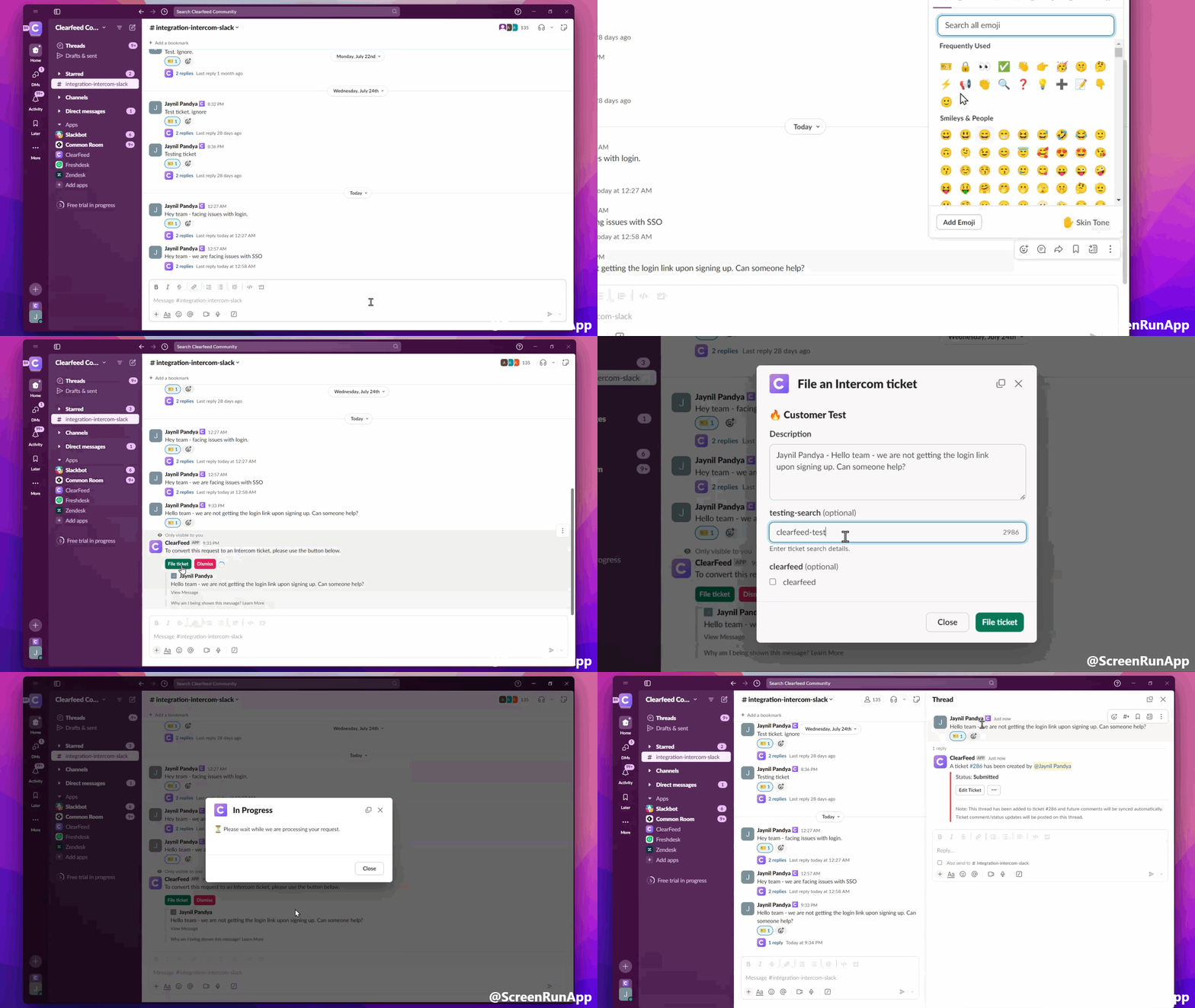
Emoji Ticketing
- Send a message in the Bytecompute shared channel
- Add the ?? (ticket) emoji reaction to convert the thread into a ticket
- A message will pop-up in the channel. Click on the
File ticketbutton to proceed - In the form modal, fill out the required information and click
File ticketto submit - Check the thread for ticket details
Note: The best practice is to use Slack threads by adding replies to the original post.